

How to Set Up a VPN on Your Gaming Console

In today’s world of online gaming, securing your connection and optimizing your experience are more important than ever. Whether you’re protecting your privacy, avoiding throttling from your Internet Service Provider (ISP), or accessing region-locked content, a Virtual Private Network (VPN) can enhance your gaming experience. Setting up a VPN on your gaming console may seem complicated, but with the right steps, it can be done easily. This article will walk you through how to set up a VPN on your gaming console to ensure that your gaming sessions are both secure and optimized.
1. Why Use a VPN for Your Gaming Console?
Before diving into the setup process, it’s crucial to understand why using a VPN with your gaming console can be beneficial. A VPN creates a secure, encrypted connection between your device and the internet, routing your data through a private server. Here are some key advantages of using a VPN for gaming:
- Enhanced Security and Privacy: A VPN hides your IP address, protecting your personal data from hackers and other malicious entities. This is particularly important if you engage in online multiplayer games, where players can attempt to gather personal information.
- Avoid Throttling: Some ISPs may intentionally slow down your internet connection, especially during high-traffic periods, affecting your gaming experience. A VPN helps mask your data usage, preventing ISPs from throttling your connection based on gaming traffic.
- Access Geo-Restricted Content: Many gaming consoles offer region-locked content, such as exclusive games, DLCs, or even streaming services. By using a VPN, you can change your location virtually, allowing you to access content that may be restricted in your country.
- Prevent DDoS Attacks: Distributed Denial of Service (DDoS) attacks are common in online gaming, where a malicious party floods your connection with traffic, causing interruptions in gameplay. A VPN helps shield your IP address from attackers, reducing the risk of a DDoS attack.
2. Understanding the Different Methods of Setting Up a VPN for Gaming Consoles
There are a few different ways to set up a VPN on your gaming console, depending on the model and the VPN provider you choose. Some gaming consoles, like PlayStation and Xbox, do not have native VPN support, so you’ll need to use a workaround to configure the connection. Let’s explore the two most common methods:
- Method 1: Using a VPN Router This method involves setting up the VPN on your router, which then covers all devices connected to your home network, including your gaming console. This method is effective because it provides VPN protection for every device in your household, without the need to install a separate app on each device.
- Method 2: Sharing VPN Connection from Your PC or Mac This method uses your computer as a middleman to share its VPN connection with your gaming console. It’s a viable option if you don’t want to set up a VPN router but still want to protect your gaming console.
Let’s explore each of these methods in detail.
3. How to Set Up a VPN on Your Gaming Console Using a VPN Router
Setting up a VPN on your router is the most seamless way to ensure that your gaming console is always protected. Here’s a step-by-step guide to help you set it up:
- Step 1: Choose a VPN Provider and Compatible Router Not all routers support VPNs, so you’ll need to ensure that your router is compatible with the VPN provider you choose. Some VPN services offer routers pre-configured with their software, making the setup process easier. Alternatively, you can purchase a compatible router that supports VPN connections.
- Step 2: Install the VPN on Your Router Once you’ve selected your VPN provider and router, the next step is to install the VPN software. This process may vary depending on the router brand and model, but generally, you will need to log in to your router’s web interface and enter the VPN configuration details provided by your VPN provider. This may include the server address, your VPN username, and password.
- Step 3: Connect Your Gaming Console to the VPN Router After the VPN is successfully installed on your router, all you need to do is connect your gaming console to the router’s Wi-Fi network. Your console will now automatically route all its internet traffic through the VPN, ensuring that your gaming sessions are secure and optimized.
This method ensures that every device connected to your router, including your gaming console, will benefit from the VPN’s protection. However, keep in mind that this method may slightly reduce the speed of your internet connection due to the encryption process.
4. How to Share Your VPN Connection from Your PC or Mac to Your Gaming Console
If you don’t want to set up a VPN router, sharing your VPN connection from your PC or Mac to your gaming console is another option. Here’s how to do it:
- Step 1: Set Up a VPN on Your PC or Mac First, install and configure the VPN software on your PC or Mac. Make sure the VPN is working properly by testing your connection.
- Step 2: Connect Your PC or Mac to Your Gaming Console Now, you need to connect your gaming console to your PC or Mac via an Ethernet cable or through a Wi-Fi network. To share the VPN connection, you’ll need to enable network sharing on your computer.
- For Windows: Go to “Network and Sharing Center” and click on “Change adapter settings.” Right-click on the VPN connection, select “Properties,” and enable “Allow other network users to connect through this computer’s Internet connection.”
- For Mac: Go to “System Preferences” > “Sharing” > “Internet Sharing,” and select the network interface connected to the VPN.
- Step 3: Connect Your Gaming Console to the Shared Connection Once network sharing is enabled, connect your gaming console to the shared connection. You should now be able to use the VPN on your console for secure gaming.
This method is ideal for gamers who do not want to change their router’s settings but still want the benefits of a VPN. However, it may require your PC or Mac to remain powered on while you game.
5. Choosing the Best VPN for Gaming Consoles
Not all VPNs are created equal, so it’s important to choose one that suits your gaming needs. When selecting a VPN for your gaming console, consider the following factors:
- Speed: Gaming requires a fast, stable connection. Look for a VPN with high-speed servers to minimize any lag or latency during your gaming sessions.
- Server Locations: Choose a VPN provider with a large selection of servers around the world. This will allow you to bypass geo-restrictions and access region-locked content on your gaming console.
- Security: Ensure that the VPN uses strong encryption methods (such as AES-256) to keep your data secure and private.
- Compatibility: Ensure the VPN works with your router or device for a seamless connection.
6. Troubleshooting Common VPN Issues for Gaming Consoles
While setting up a VPN on your gaming console is relatively straightforward, you may encounter some issues along the way. Here are a few common problems and solutions:
- Slow Connection Speed: If you experience lag or slow speeds while gaming, try switching to a different VPN server closer to your physical location. Alternatively, you can experiment with different VPN protocols (such as OpenVPN or WireGuard) to find the one that offers the best performance.
- Incompatible Games or Services: Some gaming services may block VPN traffic. If you encounter issues accessing certain games or content, try switching to a different server or disabling the VPN temporarily.
7. Conclusion
Setting up a VPN on your gaming console is an excellent way to enhance security, improve performance, and access restricted content. By following the methods outlined above, you can easily protect your gaming sessions and enjoy a smoother, more private experience. Whether you choose to use a VPN router or share your connection through a PC or Mac, the benefits of VPN protection are clear. Secure your gaming today and take your experience to the next level!
 Buy Backlinks to Improve Domain Authority and Search Visibility
  How Wearables Are Reframing the Caloric Output Data From Zumba Classes in Singapore
  AI-Driven Retention Prediction: How Singapore’s Yoga Class Booking Platforms Identify and Re-Engage Lapsing Members
 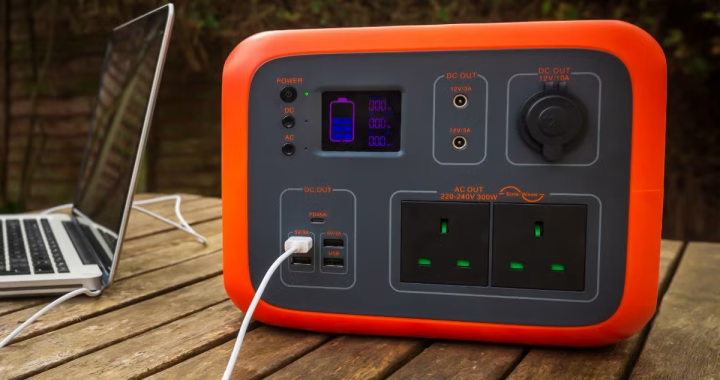 Top Battery Packs and Portable Power Solutions
  Best Photo to Video AI and Free AI Face Swap Tools of 2026 (Founder-Tested Guide)
 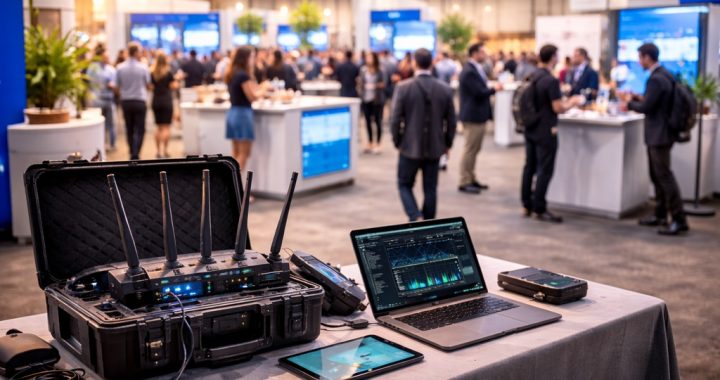 How to Get WiFi for an Event: Planning, Solutions, and Best Practices
  A Comprehensive Guide to Modern WiFi Technology
  How Content Delivery Networks Speed Up the Web
  The Evolution of Live Streaming in Digital Marketing
  The Evolution of Operating Systems Across Platforms