

A Comprehensive Guide to Modern WiFi Technology
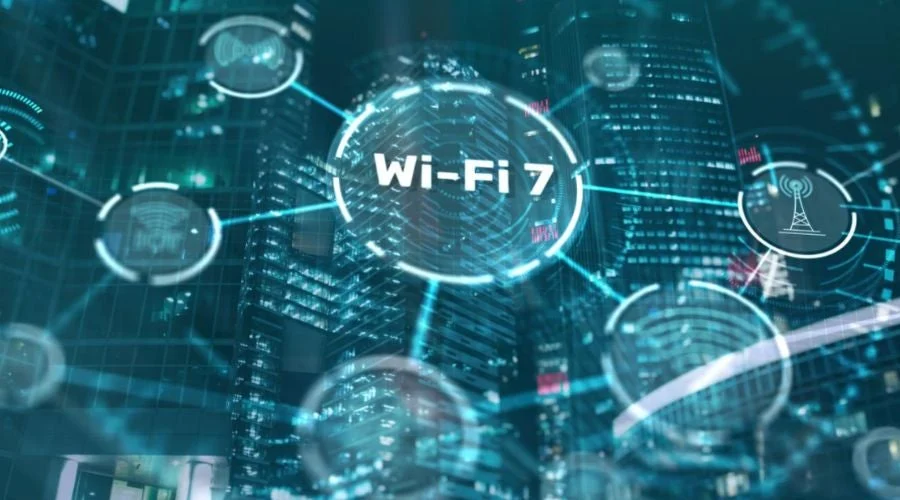
Wireless fidelity, universally known as WiFi, has evolved from a niche networking convenience into one of the most critical invisible utilities of the modern era. Today, global telecommunications, cloud infrastructure, smart home ecosystems, enterprise workflows, and personal entertainment depend on high-speed, low-latency wireless local area networks.
Understanding how WiFi functions, how radio frequency bands interact with physical environments, and how generational standards have progressed allows homeowners and enterprise network architects alike to maximize performance, eliminate dead zones, and secure their digital perimeters.
The Underlying Physics and Architecture of WiFi
At its core, WiFi is a wireless technology based on the Institute of Electrical and Electronics Engineers 802.11 family of networking standards. It converts binary digital data into radio frequency electromagnetic waves, transmitting information through the air to and from connected client devices and access points.
Every wireless transaction follows a precise cycle:
-
Signal Modulation: The transmitting radio transforms digital bits into high-frequency analog waveforms using complex modulation techniques such as Orthogonal Frequency-Division Multiplexing.
-
Over-the-Air Transmission: Antennas radiate the modulated radio frequency signals across specific unlicensed spectrum bands.
-
Demodulation and Decoding: The receiving antenna captures the incoming electromagnetic energy, filters out background noise, demodulates the wave, and translates the analog signal back into standard digital packets.
-
Collision Avoidance: Because radio spectrum is a shared medium, devices use access protocols like Carrier Sense Multiple Access with Collision Avoidance to check whether a frequency channel is clear before broadcasting, preventing packet collisions.
The Core Frequency Bands: 2.4 GHz, 5 GHz, and 6 GHz
Wireless networks operate across three primary unlicensed frequency ranges, each offering distinct operational advantages and physical trade-offs.
The 2.4 GHz Band
The 2.4 GHz band is the legacy workhorse of consumer wireless networking. Its longer wavelength allows signals to penetrate solid barriers like drywall, brick, and concrete with relatively low attenuation, providing broad geographical coverage.
However, the 2.4 GHz band provides only three non-overlapping 20 MHz channels (channels 1, 6, and 11). Because this band is heavily congested by neighboring routers, Bluetooth devices, baby monitors, and microwave ovens, it is best reserved for low-bandwidth devices like smart plugs, light switches, and environmental sensors.
The 5 GHz Band
Introduced to bypass the congestion of 2.4 GHz, the 5 GHz band features shorter wavelengths that offer significantly higher bandwidth and greater data throughput. It provides dozens of non-overlapping channels, drastically reducing inter-network interference in dense residential or commercial buildings.
The trade-off is physical range. High-frequency 5 GHz radio waves experience faster attenuation when passing through solid objects, making line-of-sight or multi-node mesh architectures important for complete coverage. This band is ideal for high-definition video streaming, online gaming, and video conferencing.
The 6 GHz Band
The 6 GHz band represents the largest single expansion of unlicensed spectrum in modern networking history. Spanning an additional 1,200 MHz of clean spectrum, 6 GHz accommodates up to seven ultra-wide 160 MHz channels without overlapping.
Because legacy devices cannot operate on 6 GHz, this band is completely free from legacy interference. It delivers multi-gigabit throughput and sub-millisecond local network latency, making it the premier choice for virtual reality headsets, massive file transfers, and high-density enterprise environments.
The Evolution of IEEE 802.11 Generational Standards
To simplify technical marketing and help consumers identify device capabilities, the industry introduced numerical naming conventions for major generational advancements.
-
WiFi 4 (802.11n): Released in 2009, WiFi 4 introduced Multiple-Input Multiple-Output antenna systems. It allowed devices to transmit multiple simultaneous data streams across both 2.4 GHz and 5 GHz bands, achieving theoretical speeds up to 600 megabits per second.
-
WiFi 5 (802.11ac): Finalized in 2013, WiFi 5 focused exclusively on the 5 GHz spectrum. It introduced wider 80 MHz channels, standardized 256-QAM modulation, and added Multi-User MIMO for downstream traffic, breaking the gigabit-per-second barrier for consumer wireless gear.
-
WiFi 6 and WiFi 6E (802.11ax): Ratified in 2019 and expanded in 2020, WiFi 6 prioritized network efficiency in crowded environments over raw top-end speed. It introduced Orthogonal Frequency-Division Multiple Access to divide channels into smaller sub-carriers, allowing one access point to communicate with dozens of devices simultaneously. WiFi 6E extended these capabilities directly into the pristine 6 GHz band.
-
WiFi 7 (802.11be): The latest evolutionary milestone, often dubbed Extremely High Throughput. WiFi 7 supports massive 320 MHz channel widths, 4096-QAM modulation, and Multi-Link Operation, which allows a single device to send and receive packets across multiple frequency bands simultaneously to slash latency and maximize reliability.
Network Topologies: Standalone Routers vs. Mesh Systems
Selecting the proper hardware topology determines whether a wireless network provides reliable speeds or suffers from chronic dead zones.
-
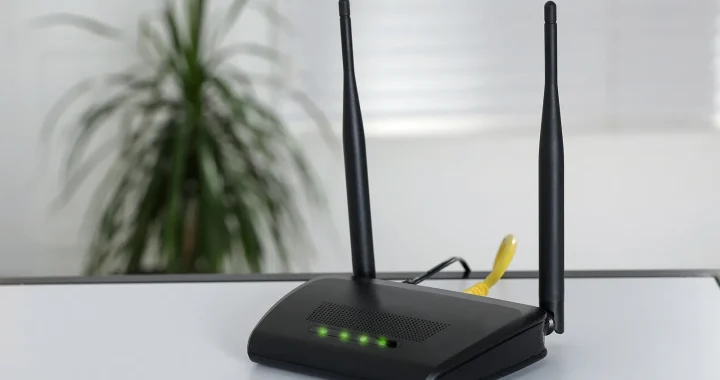
Standalone Wireless Routers: An all-in-one unit combining a network router, firewall, Ethernet switch, and wireless access point. Best suited for apartments or compact single-story homes where the access point can be centrally located without facing excessive structural walls.
-
Mesh Network Systems: Mesh architectures use a primary gateway router wired to the modem paired with several modular satellite nodes positioned throughout the property. These nodes form a unified wireless backhaul, dynamically routing data packets across the cleanest path. Mesh systems provide seamless roaming, allowing client devices to transition between nodes automatically without dropping active connections.
-
Dedicated Access Points with Wired Backhaul: The enterprise standard for large homes and commercial facilities. Independent access points mounted to ceilings or walls are wired directly to a central PoE switch via Category 6 or Category 6A Ethernet cables. This approach eliminates wireless backhaul degradation entirely, ensuring maximum throughput at every node.
Best Practices for Optimizing Wireless Performance
Achieving peak network speeds and consistent coverage requires strategic hardware positioning and deliberate configuration.
-
Centrally Locate the Access Point: Place your router in an elevated, open position in the central living area. Avoid hiding routers inside closed cabinets, behind metal television mounts, or on the floor.
-
Separate Network SSIDs: Group low-bandwidth smart home accessories on a dedicated 2.4 GHz guest network to keep the 5 GHz and 6 GHz bands completely open for laptops, tablets, and media streamers.
-
Utilize Wired Backhaul for Mesh Nodes: When using a multi-node mesh system, connect the nodes together using Ethernet cables whenever possible. This leaves the entire wireless spectrum free for client communication.
-
Conduct a Spectrum Analysis: Use a mobile WiFi analyzer application to inspect local channel saturation. Select the least congested 20 MHz or 40 MHz channel on the 2.4 GHz band and clean 80 MHz channels on the 5 GHz band.
Wireless Security Protocols and Network Defense
Because radio waves travel beyond physical walls, securing the wireless medium is vital to prevent unauthorized access, packet eavesdropping, and data compromise.
-
WPA2-AES: The standard security protocol for over a decade, utilizing the Advanced Encryption Standard with a pre-shared key. While dependable, it is vulnerable to offline dictionary attacks if weak passwords are used.
-
WPA3-Personal: The modern security baseline. WPA3 replaces pre-shared key exchanges with Simultaneous Authentication of Equals, making brute-force password guessing virtually impossible even on weak passwords. It also mandates 128-bit encryption strength.
-
WPA3-Enterprise: Designed for corporations and academic institutions, WPA3-Enterprise uses individual user credentials authenticated via an external RADIUS server, offering 192-bit cryptographic strength and centralized credential management.
FAQ
How does Multi-Link Operation work in WiFi 7?
Multi-Link Operation allows a client device to connect to multiple frequency bands, such as 5 GHz and 6 GHz, at the exact same time. Instead of switching back and forth between bands, the device can transmit data across both bands simultaneously to double throughput, or use the second band as an instant failover to prevent latency spikes.
Why does a high-speed fiber internet connection still feel slow over wireless?
Internet speed at the modem is only one part of the connection. Physical walls, radio interference from neighboring networks, distance from the router, outdated client network cards, and bandwidth congestion on the local wireless channel can significantly reduce actual throughput before packets reach your device.
What is the difference between a modem and a wireless router?
A modem decodes the incoming analog or optical signal from your Internet Service Provider into a single digital data feed. A wireless router takes that digital feed, creates a private local network, assigns local IP addresses to all your devices, enforces firewall security, and broadcasts the local network wirelessly via radio antennas.
Can electronic home appliances cause wireless connection drops?
Yes. Certain common appliances, particularly microwave ovens, older cordless landline phones, metal ductwork, and fluorescent lighting, emit electromagnetic radiation in the 2.4 GHz frequency range. When running, they can create intense localized interference that temporarily degrades or drops active 2.4 GHz connections.
What is Orthogonal Frequency-Division Multiple Access in modern routers?
Orthogonal Frequency-Division Multiple Access is an advanced digital modulation system introduced in WiFi 6. Instead of forcing an access point to serve one device per transmission frame, it subdivides a wireless channel into multiple smaller frequency allocations called Resource Units, enabling the router to transmit data to dozens of different client devices in a single transmission cycle.
Is it safe to disable the SSID broadcast of a home network for security?
Disabling SSID broadcast hides the network name from casual scans, but it provides minimal real security. Attackers with basic packet-sniffing software can easily detect hidden SSIDs whenever a legitimate device attempts to connect. Furthermore, hiding the SSID forces your personal devices to constantly broadcast probe requests searching for the network, which can drain mobile battery life.
How many concurrent devices can a modern WiFi 6 or WiFi 7 router handle without lagging?
High-performance modern routers equipped with quad-core processors, ample RAM, and OFDMA scheduling can comfortably manage between 75 and 150 active client devices simultaneously. Basic legacy routers often begin experiencing latency spikes and dropped packets when managing more than 20 to 30 active devices.
 WiFi: The Foundation of Modern Wireless Connectivity
  Obtain the Latest Wireless Cell Phones on Christmas
  Wireless Signal Booster to find the best Wireless Connection
  Latest Generation of Wireless IP SIP Phones
  Super Wireless and the way forward for Wireless
  6 Wireless Marketing Strategies for Your Companies
  A Comprehensive Guide to Modern WiFi Technology
  How Content Delivery Networks Speed Up the Web
  The Evolution of Live Streaming in Digital Marketing
  The Evolution of Operating Systems Across Platforms